Reservations Update
The Reservations Update batch can be used for the following purposes:
- Creating new reservations
- Moving demand dates forward
- Moving demand dates backward
These three items above also show that the Reservations Update batch will never cancel existing reservations.
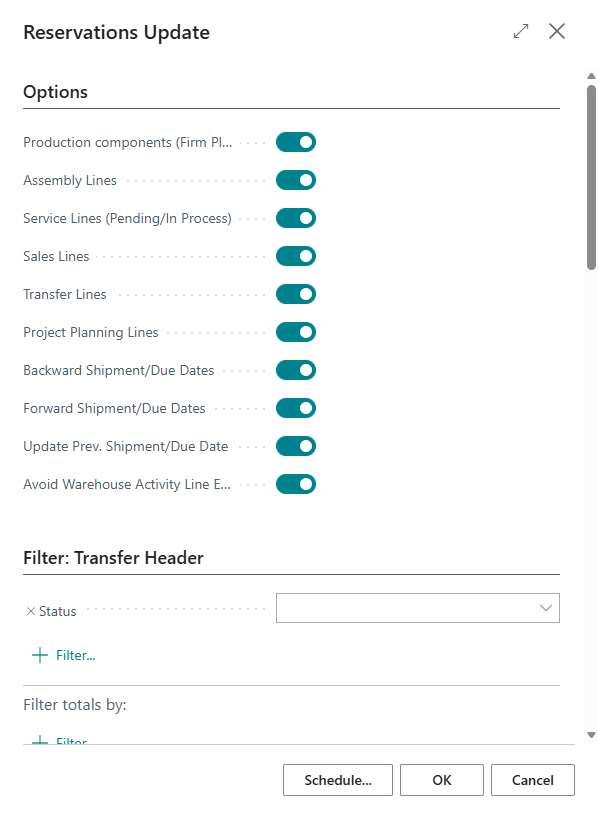
The Reservations Update batch looks like this:
Creating new reservations
When new demand lines (like sales or assembly orderlines) are created and Reserve is set to Always on those lines, Business Central immediately checks whether a new reservation can be created. However, there may not yet be any planned supply, or the dates on the demand line may not match the dates on the supply lines.
When supply lines are created, standard Business Central does not immediately check whether new reservations can be created. This is done for performance reasons.
For example, when a sales order is created, there may not yet be any planned supply, resulting in the sales line being shown in red. If a purchase order is created later, the Reservations Update batch can create a reservation between the sales line and the purchase line.
Filter options
For each demand type, such as Production, Assembly, and Service, you can specify whether it should be included in the batch process. If the corresponding checkbox is not selected, that type of order line will be skipped.
Additional filters can also be applied on the request page to further restrict the data for each demand type.
Rescheduling demand dates
The following checkboxes determine whether the batch is allowed to adjust dates:
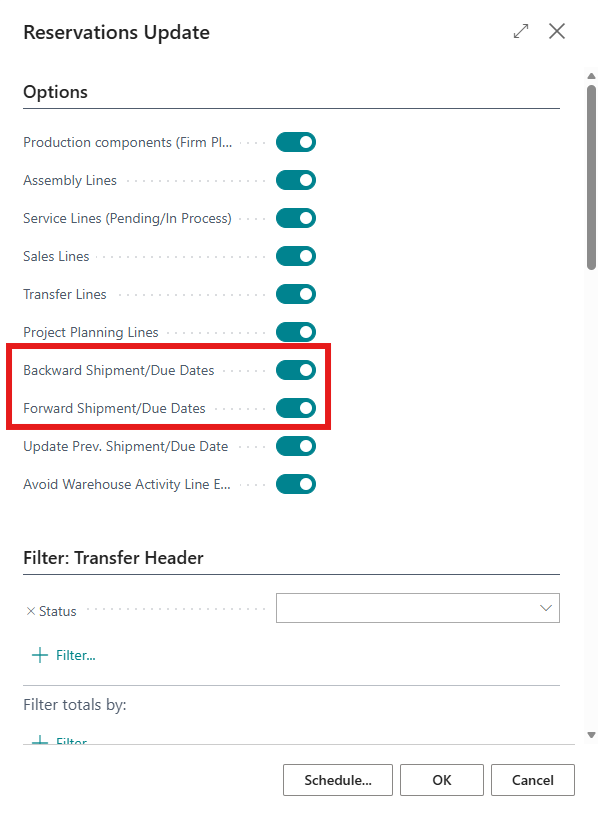
These settings allow you to separately specify whether demand dates, such as Shipment dates on sales lines or Due dates on production order component lines, may be adjusted by the batch so that demand can be matched with the corresponding supply lines.
Forward Shipment Date
For example, if a sales order line shown in red has a shipment date of November 10 and a purchase line has an expected receipt date of November 20, a reservation cannot simply be created between the two lines. However, if the shipment date on the sales line is changed to November 20, a reservation can be created.
The Reservations Update batch will make this adjustment when Forward Shipment Date/Due Date is enabled.
If a reservation already exists between a demand line and a supply line, the date on the demand line cannot be earlier than the date on the supply line, in line with standard Business Central behavior.
Backward Shipment Date
If a purchase order is received earlier than originally expected, the shipment date on the sales line will remain unchanged. However, many customers want their goods to be delivered as soon as possible. In that case, you may also want the shipment date to be moved forward accordingly.
This behavior is controlled by the Backward Shipment/Due Dates setting.
Requested Delivery Date
There are also scenarios in which goods must not be delivered earlier than a certain date.
For example, if the customer has specified a Requested Delivery Date, this date is treated as the earliest possible delivery date. The Reservations Update batch will never set a shipment date that would result in a delivery date earlier than the Requested Delivery date.
Promised Delivery Date
When a delivery date has been promised to a customer, this can be recorded in Business Central using the Promised Delivery date field.
How this date should be handled varies by industry. In some industries, customers are happy to receive their goods earlier than the Promised Delivery date. In other industries, however, delivery before this date is not permitted.
For this reason, the following setting has been added to the Reservation Rescheduler Setup:
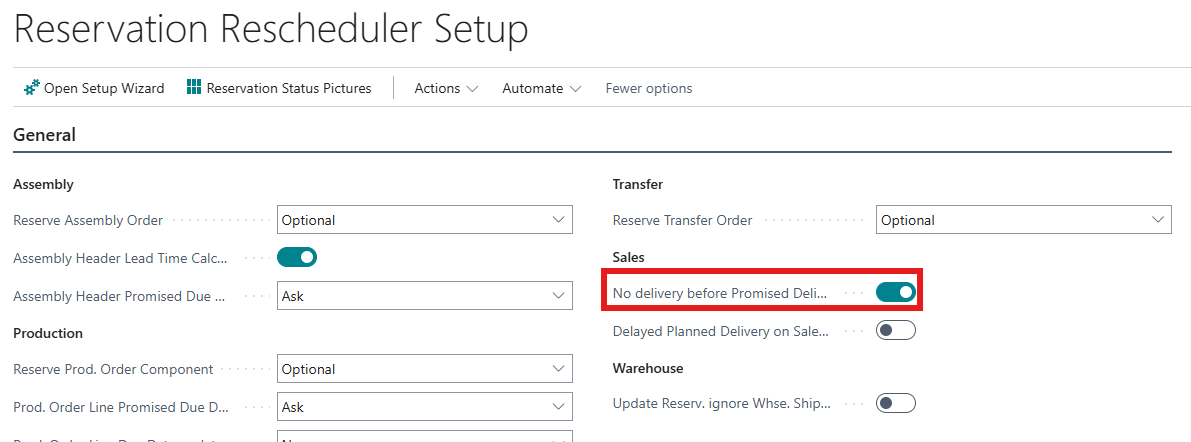
When this setting is enabled, the Reservations Update batch will never set a shipment date that would result in a delivery date earlier than either the Requested Delivery Date or the Promised Delivery Date.
Please note: When enabling this setting, all Sales Lines with a Planned Delivery Date before the "Promised Delivery Date, will be updated immediately!
Update Prev. Shipment/Due Date
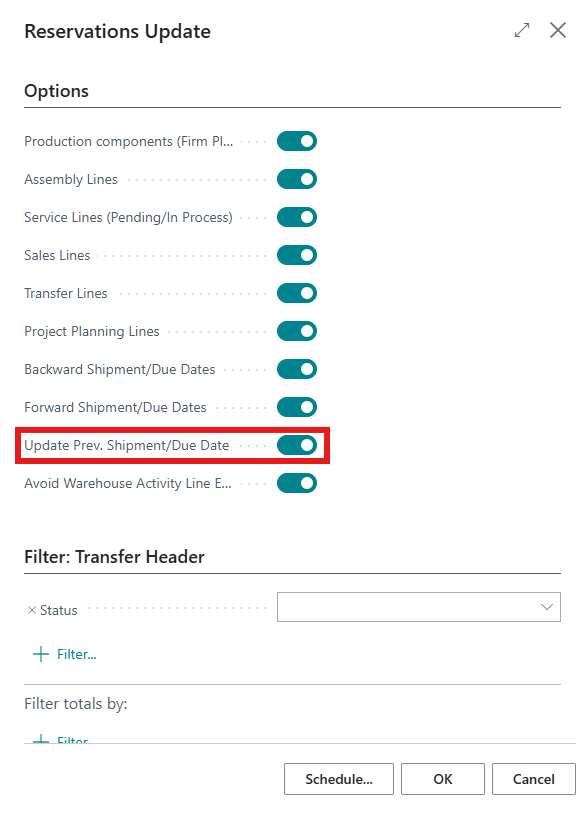
With this setting, the user can define whether the Previous Shipment Date on the Sales Line (or Previous Due Date on other demand lines) should be updated, when the batch Reservations Update has changes the date in the line. If this setting is enabled, the data on the line might look like:
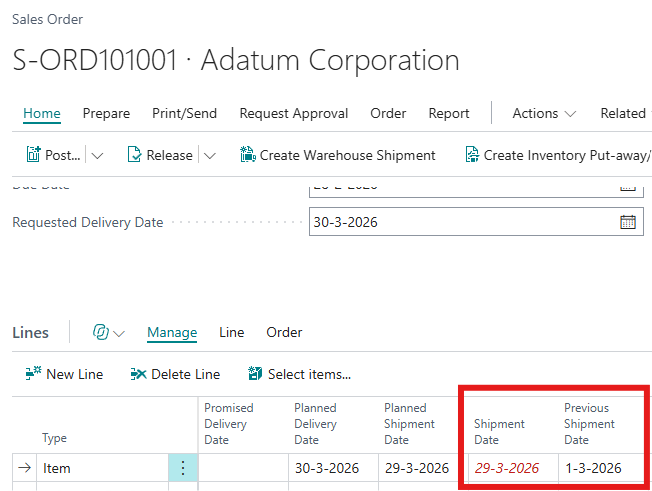
For further explaination, please see Previous Date
When the Previous Shipment Date is populated, the Shipment Date will be red and cursive, to indicate that the Shipment Date has been changed.