Reservation Term Margins
Reservation Term Margins
In some scenarios, you may want to prioritize which customers are supplied with a specific item. For this purpose, the Reservation Terms Margin functionality has been introduced. This functionality can be enabled in the Reservation Rescheduler Setup:
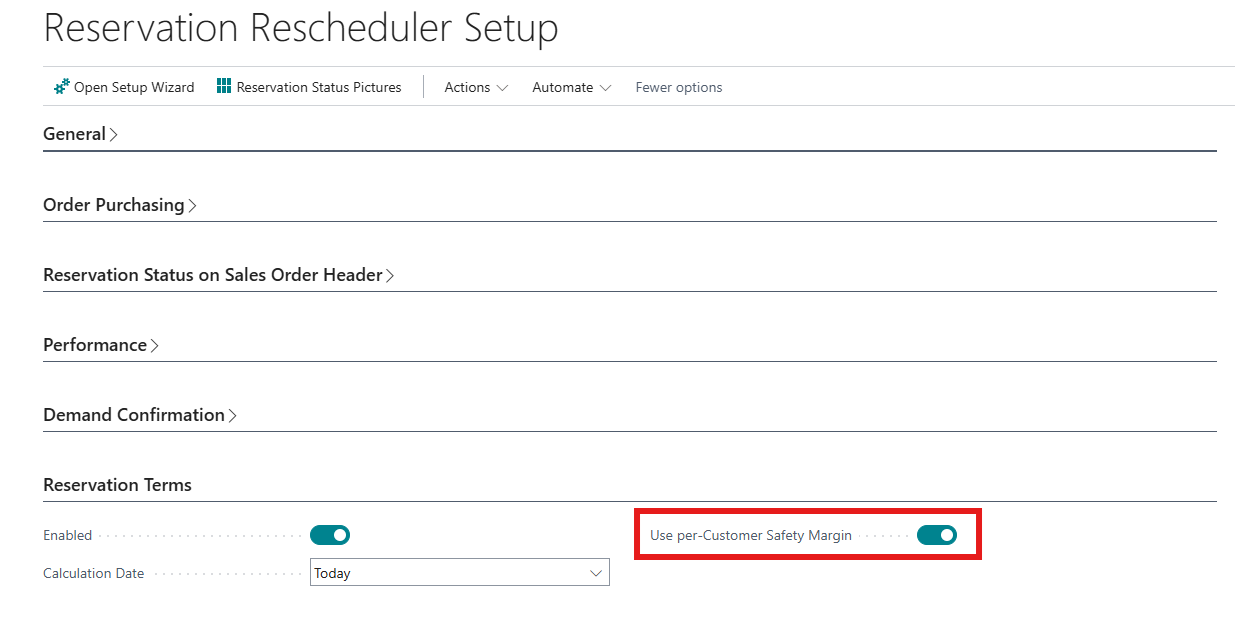
If this setting is enabled, an additional setting will also become available on the Customer Card:
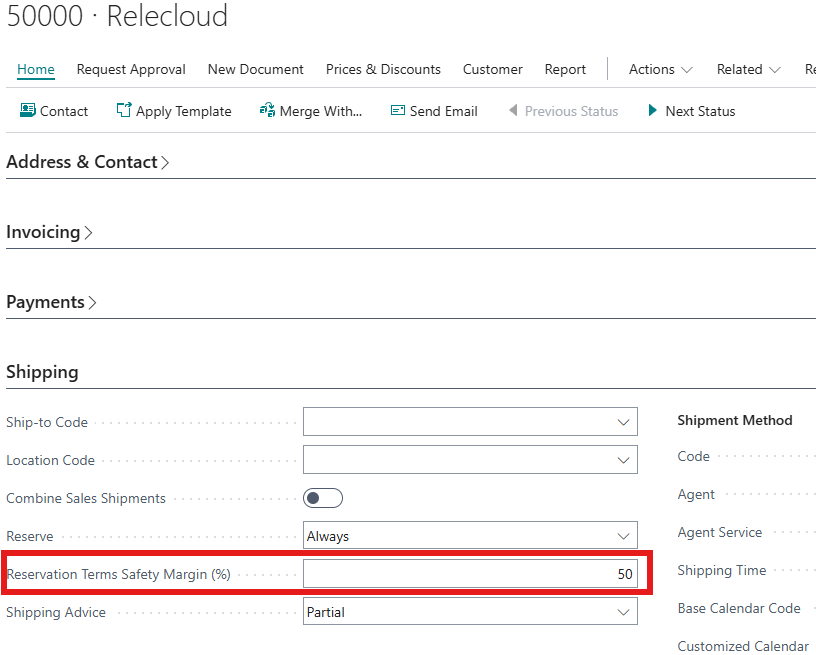
With this setting, the Reservation Term can be increased or decreased by a factor. The factor is determined as follows:
Factor = 1 + (percentage / 100)
Some examples:
Item:
- Customer margin: +50%
- Effective term: 14 × 1.50 = 21 days →
- Customer margin: +25%
- Effective term: 14 × 1.25 = 17.5 → rounded up to 18 →
- Customer margin: " "
- Default behaviour: only the Term of the Item Card is taken into account
NOTE The customer margin is applied only when the reservation term is initialized from the item. Any manual adjustments to the term on a demand lines are not scaled again.
Triggers
The Reservation Terms and the Reservation Start Date are determined on the following triggers:
- Creation of demandline: the term and start date are initialized from the item (including any applicable customer margin).
- Changing the demand date: the Reservation Start Date is automatically recalculated.
- Deleting a demand line: the reservation term record is deleted.
- Update Reservations (report): lines outside the scope are skipped; after a date shift, the start date is recalculated.
- Manual adjustment on the page: users can override the term per line; in that case, the customer margin is not applied again.