Previous Dates in Demand Lines
In the Sales Line there is a field Previous Shipment Date:
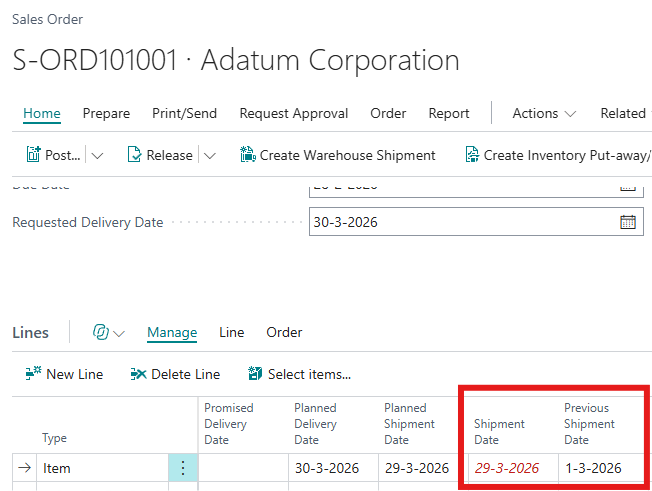
When the Previous Shipment Date is populated, the Shipment Date will be red and cursive, to indicate that the Shipment Date has been changed. When you clear the Previous Shipment Date field, the Shipment Date will be shown in the normal formatting, to indicatie that the new value of the Shipment Date has been accepted by the user.
When there is at least one line in the order that contains a Previous Shipment Date, the Previous Shipment Date Exist field in the header of the order will have the value Yes:
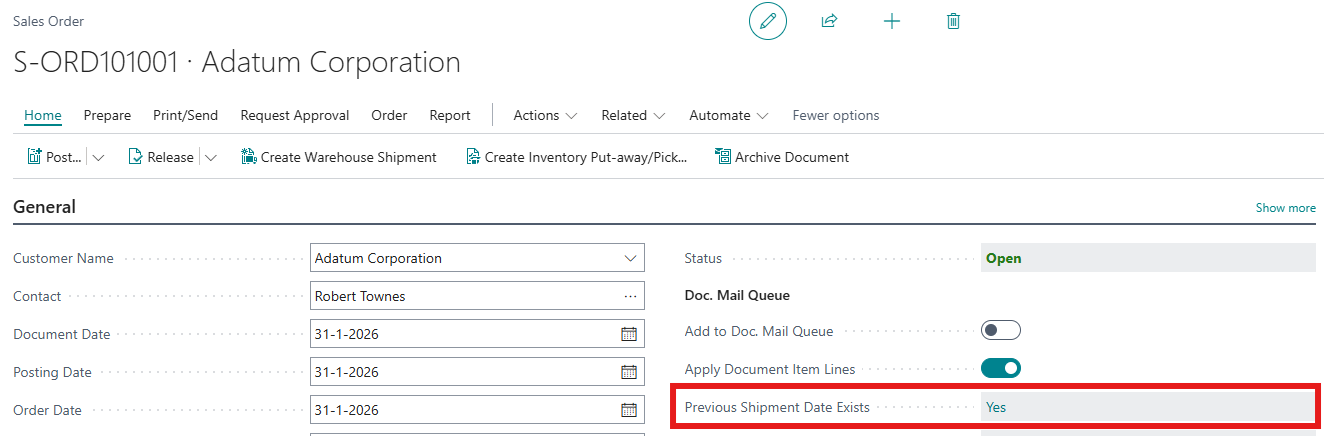
When you want to know which orders you have to confirm the the customer, you can create a view on the sales orders with Previous Shipment Date Exist=Yes. You might as well create a tile on your rolecenter with the use of one of the other Apportunix apps: Custom Tiles!
Note: In other Demand Lines, like Assembly Order Lines or Production Order Material Lines, there is a comparable field Previous Due Date, with the same behaviour.